PRISM: Peer Review Information Service for Monographs
The Peer Review Information Service for Monographs (PRISM) is a service hosted by the Directory of Open Access Books (DOAB) and is part of the OPERAS service catalogue.
PRISM provides detailed peer-review information and encourages transparency from publishers about their quality-control processes to amplify trust in OA books and OA book publishing. It addresses misinformation and bias around the quality of open access (OA) books and quality assurance in OA book publishing.
How PRISM works
PRISM is a standardised way for academic publishers to display information about their peer review processes across their entire catalogue in DOAB. Like DOAB, publishers can participate in PRISM for free.
When publishers participate in PRISM, they can define and apply different types of peer-review to different books and book series.
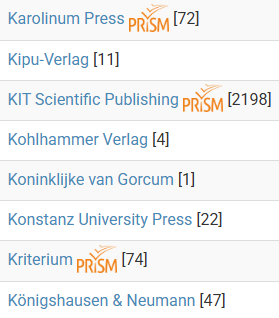
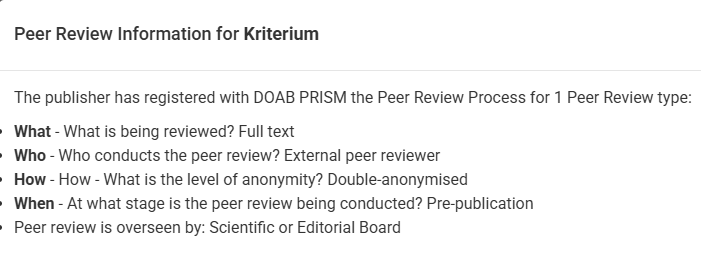
Publishers and books participating in PRISM can be identified through the PRISM logo next to their name or title. If you click on the logo, a pop up will appear which lists the applicable peer-review process(es).
On a publisher level, all their peer review processes are visible. On an individual publication level, only the peer review process applied to that publication is displayed.
PRISM information can also be integrated into websites or library catalogue systems using the PRISM API. PRISM metadata is delivered alongside our standard metadata so libraries who receive DOAB metadata through a third party content provider can take advantage of this by including it in their discovery system immediately.
Finding PRISM records
There are several ways to see PRISM at work:
Looking for the PRISM logo
When browsing by publisher, a PRISM logo will be displayed next to their name. Click on this logo to see the details of their peer review process(es). You may see more than one process displayed, as some publishers apply different processes to different series or titles.
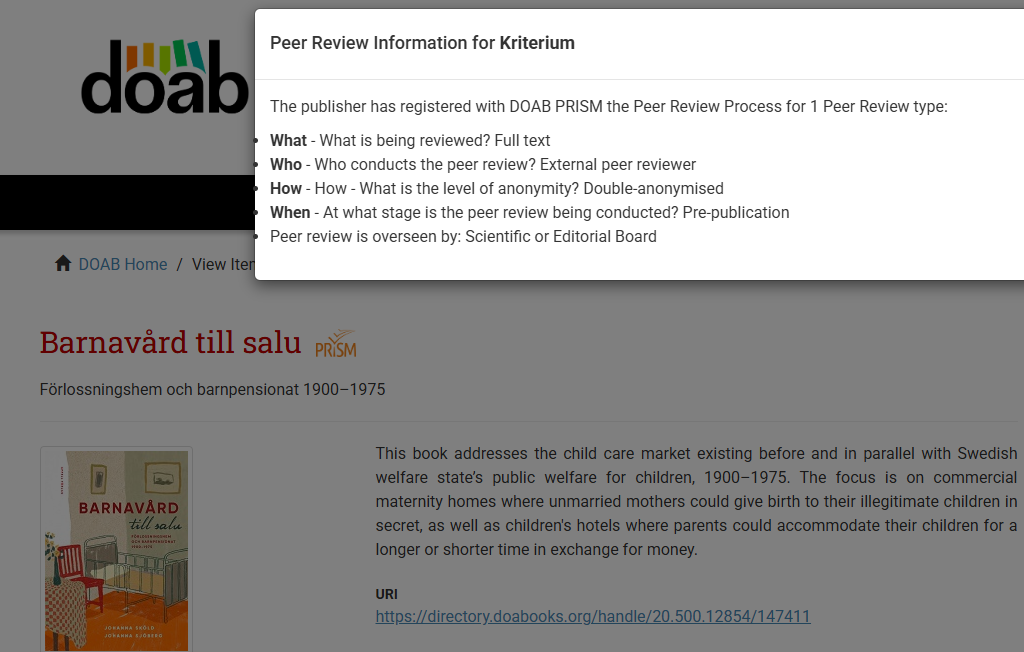
If the peer review process(es) is available for an individual title, you will see the PRISM logo next to the name of the publication. Click on the logo to see the details of the peer review process(es) that has been applied to the publication.
Using a query
When searching in DOAB, you can quickly filter the directory by using the peerreview.id:* query to view all types of PRISM record.
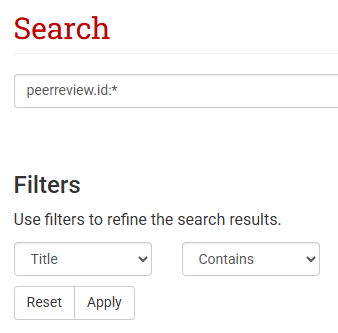
Other queries that can be used include:
- peerreview.anonymity:Double-anonymised
- peerreview.anonymity:All identities known
- peerreview.anonymity:Double-blind
- peerreview.anonymity:Single-anonymised
The ‘Show Advanced Filters’ option or categories from the list on the right-hand side can be used to modify the query to find more specific PRISM records. Categories include: subject, publisher, language, date issued, collection, publication type, and license.
Through DOAB’s API
Use the freely available DOAB API to obtain PRISM metadata.
How PRISM benefits you
Publishers
- Clearly and transparently display peer review processes across your entire collection in DOAB
- Increase trust from libraries, funders, researchers, and readers
- It’s free and easily integrated into your existing DOAB records
- Integrate PRISM into your own website using the PRISM widget. Find out how to install the widget.
Libraries
- Peer review information is transparent and comparable across publishers, allowing you to see the quality control processes applied to publications
- Easily integrate PRISM information into your library catalogue through the PRISM API to boost the trust in and credibility of your catalogue
- Empowers you to make reliable and informed discovery and collections decisions
Researchers, students, general users
- Shows how a book, series, or publisher applies peer review, supporting transparency
- Helps you understand quality control processes so you can make informed decisions about a publisher or publication
Funders
- Easily get structured, openly available information on peer review processes for books you’ve funded
- Supports informed assessment for OA books that you fund
Participate in PRISM
Publishers can request to be included in PRISM through the following steps:
- You must already be participating in DOAB. If not, find out more about joining DOAB.
- Provide us with details of your peer review process(es). Work with your internal editorial teams to collect this information and ensure it reflects the range of practices across your publications before moving on to the next steps.
- Login to your DOAB account and create a PRISM peer review submission with information about your peer review process. If you have more than one process, you will repeat this step for each one.
- The submission is checked by the DOAB team. Any disputes are referred to the DOAB Scientific Committee.
- If your submission is accepted, it becomes a PRISM record and you can now attach your PRISM record to each of your publications in DOAB. You may describe more than one peer review process, but you may only attach one process description to each publication.
- If your submission is not approved, the information is deleted.
Learn more about how to prepare for PRISM in the DOAB publishers’ guide.
Disclaimer
Publishers must provide correct information and may be suspended from using PRISM if there is evidence that the information they provided is incorrect. Such cases may be referred to the DOAB Scientific Committee, which acts as a Board of Appeal. Suspended publishers may be required to reapply for the service and their participation in DOAB may be revoked. DOAB reserves the right to announce such measures through its media channels.